
Web Designer
Anyone Can Draw app
UI/UX Design
The Idea:
The Anyone Can Draw app would be a vector-based drawing app somewhat similar to Adobe Illustrator. You can draw with something like the Pen Tool, or free hand it and refine it after it's drawn. The app would work on most smartphones/tablets, and even other touchscreen devices like Chromebooks! You can either use your fingers or a stylus to draw, so long as it's compatible with your device. The app would also have tutorials/guides on how to get started drawing, and there would also be tooltips for when using the app.
What I'm trying to solve with my app is people's fear of learning something new, specifically drawing in this case. It can be hard to start something new, especially without help. That's this app aims to do, guide people on how to start drawing and show them the process behind it, so they can feel comfortable doing it on their own later.
Developing Personas:
Proto-Personas
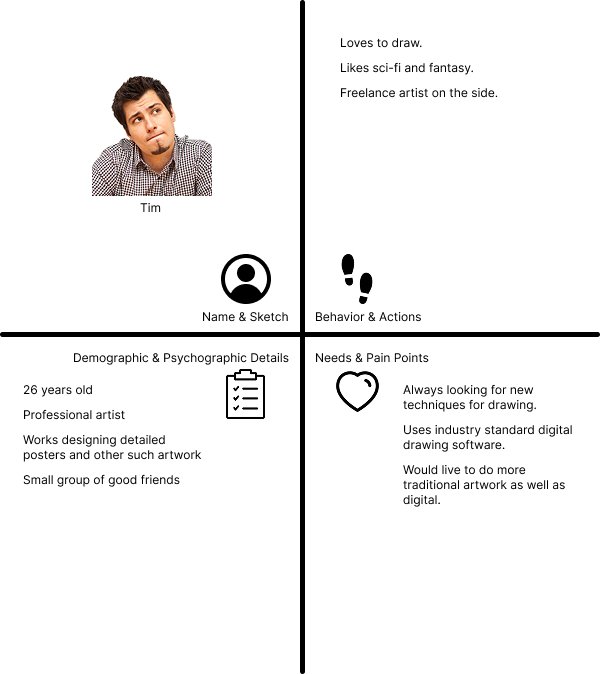
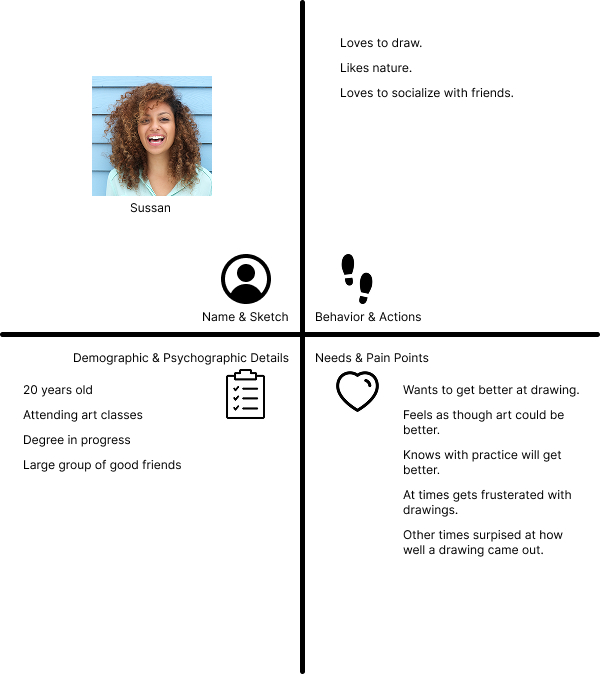
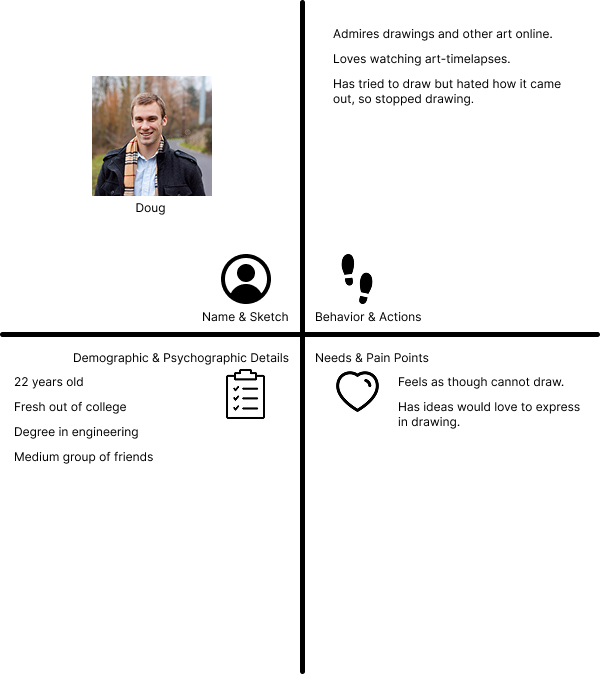
Before getting to design proper personas by doing user interviews, I developed proto-personas by trying to get in the mindset of three unique users who would be interested in using my app.
User Interviews & Personas
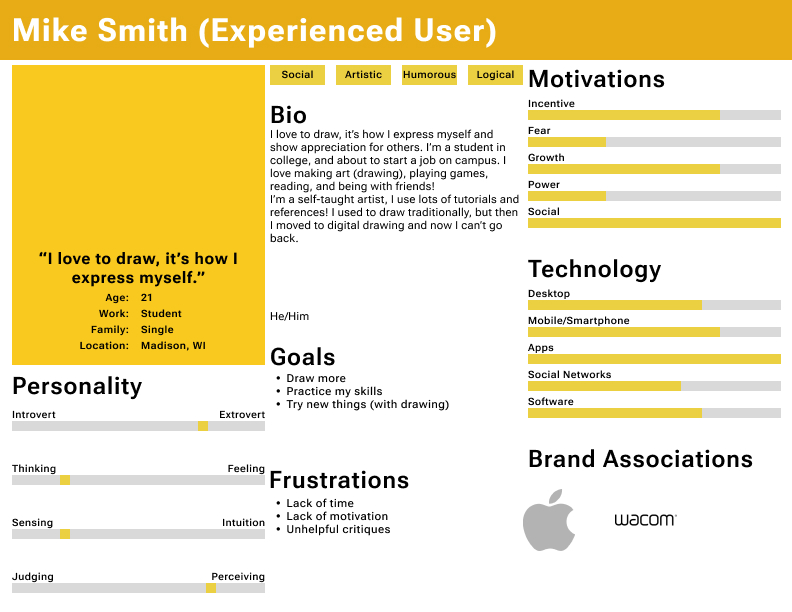
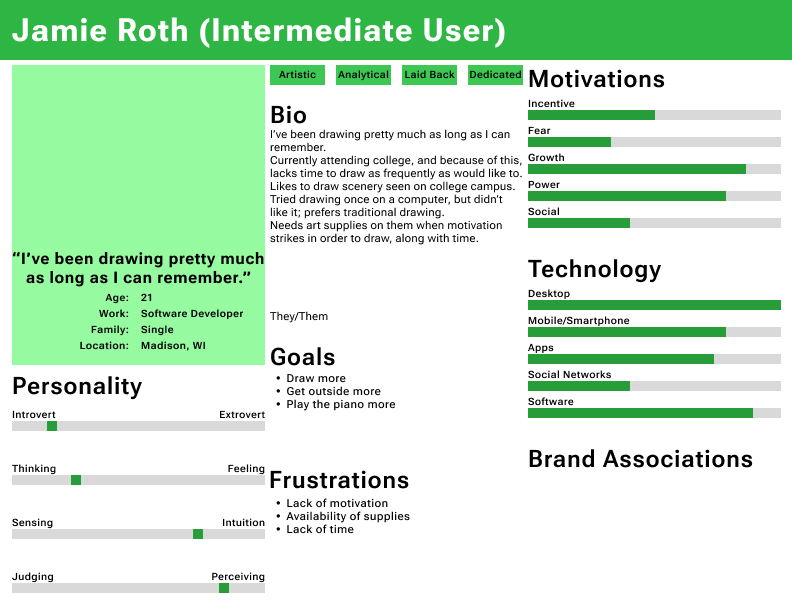
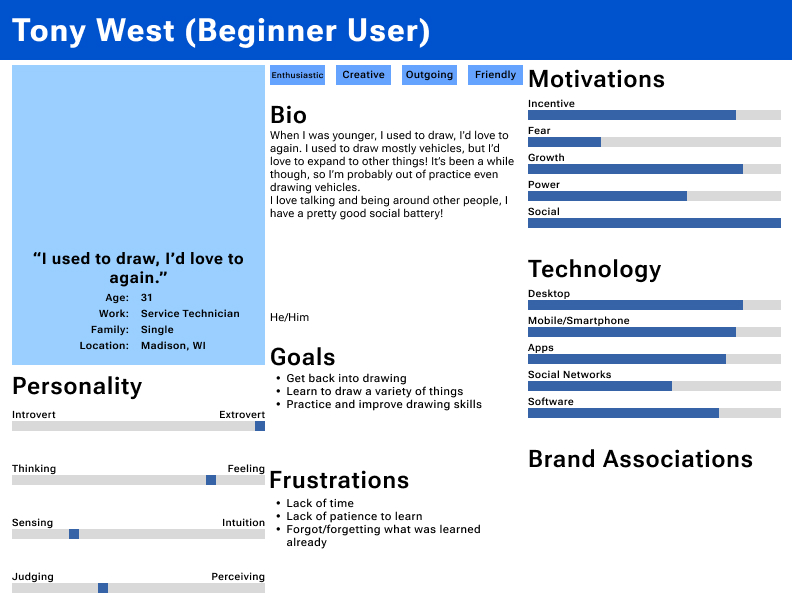
I put out a user survey to find good applicants who would make the basis of my actual personas. After getting 21 responses to my survey, I then narrowed down my potential candidate users to 7 and reached out again to them to get 3 declines, and 4 who agreed; I would have the 4th person be a backup in case any of the first three couldn't do the interview. I would then interview the 3 final candidate users using a user interview script, and record each candidate's responses in a text document, which I then used to develop fully fleshed out personas, but with personal details removed from the actual user.
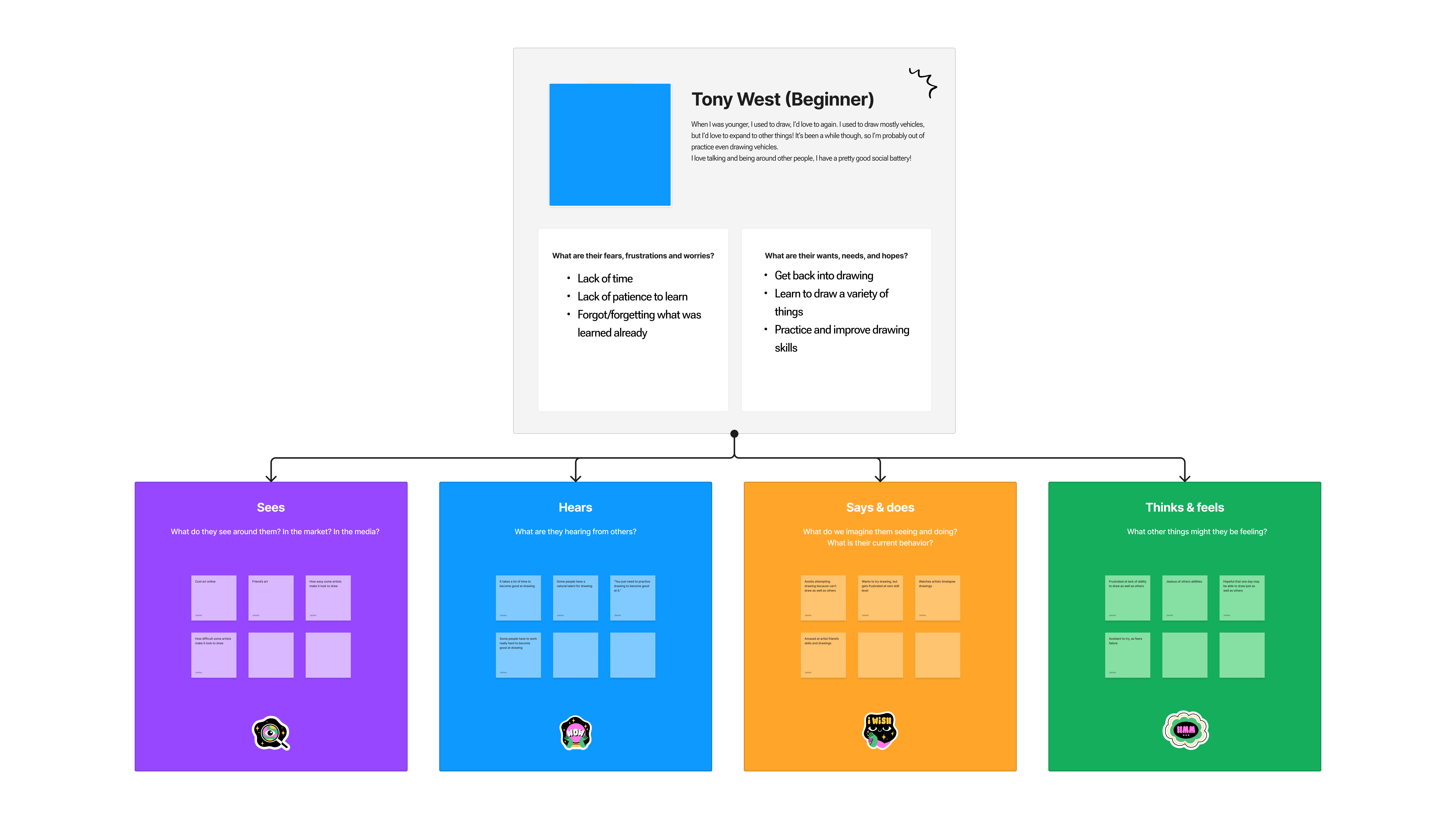
Empathy Maps
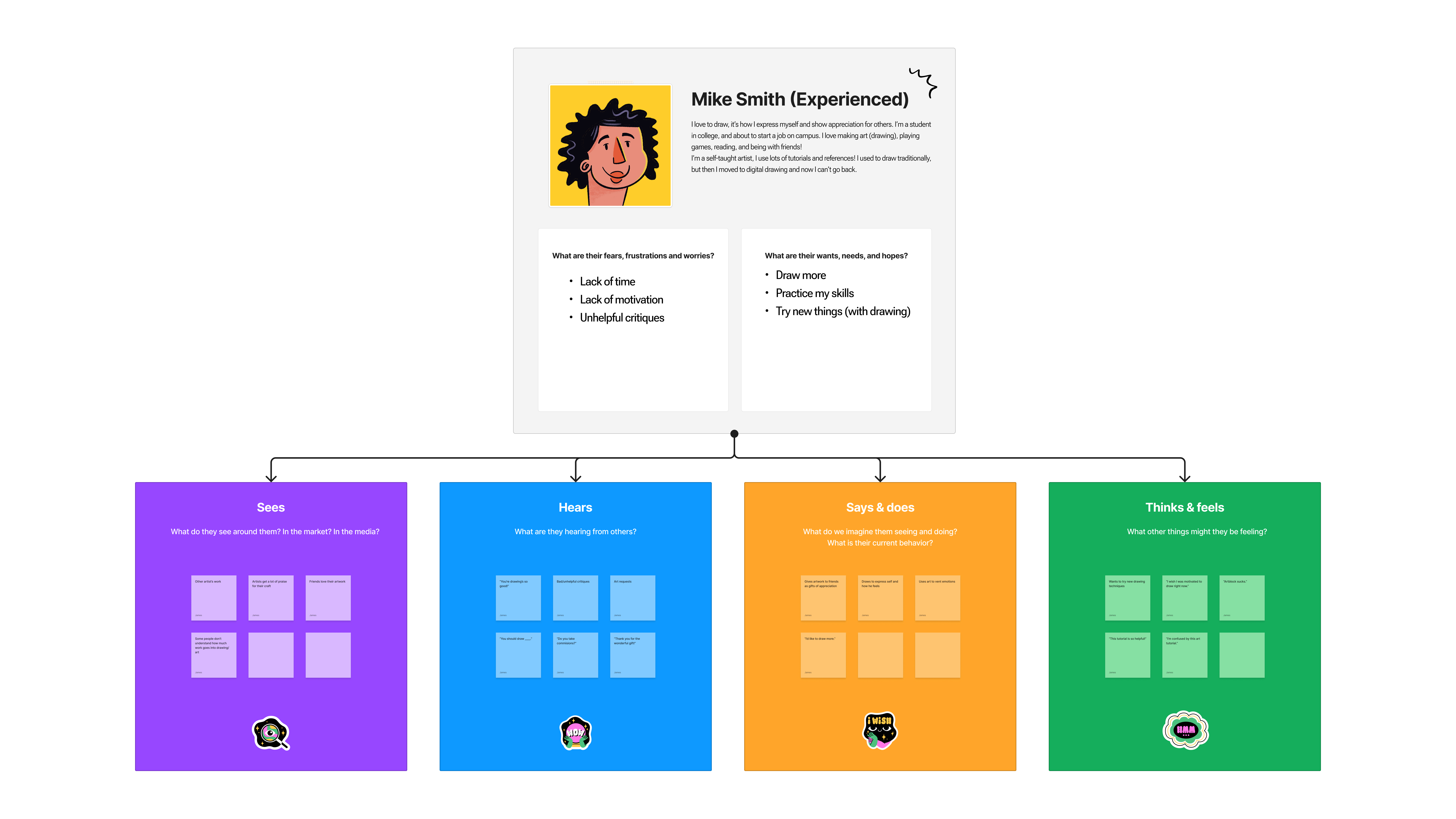
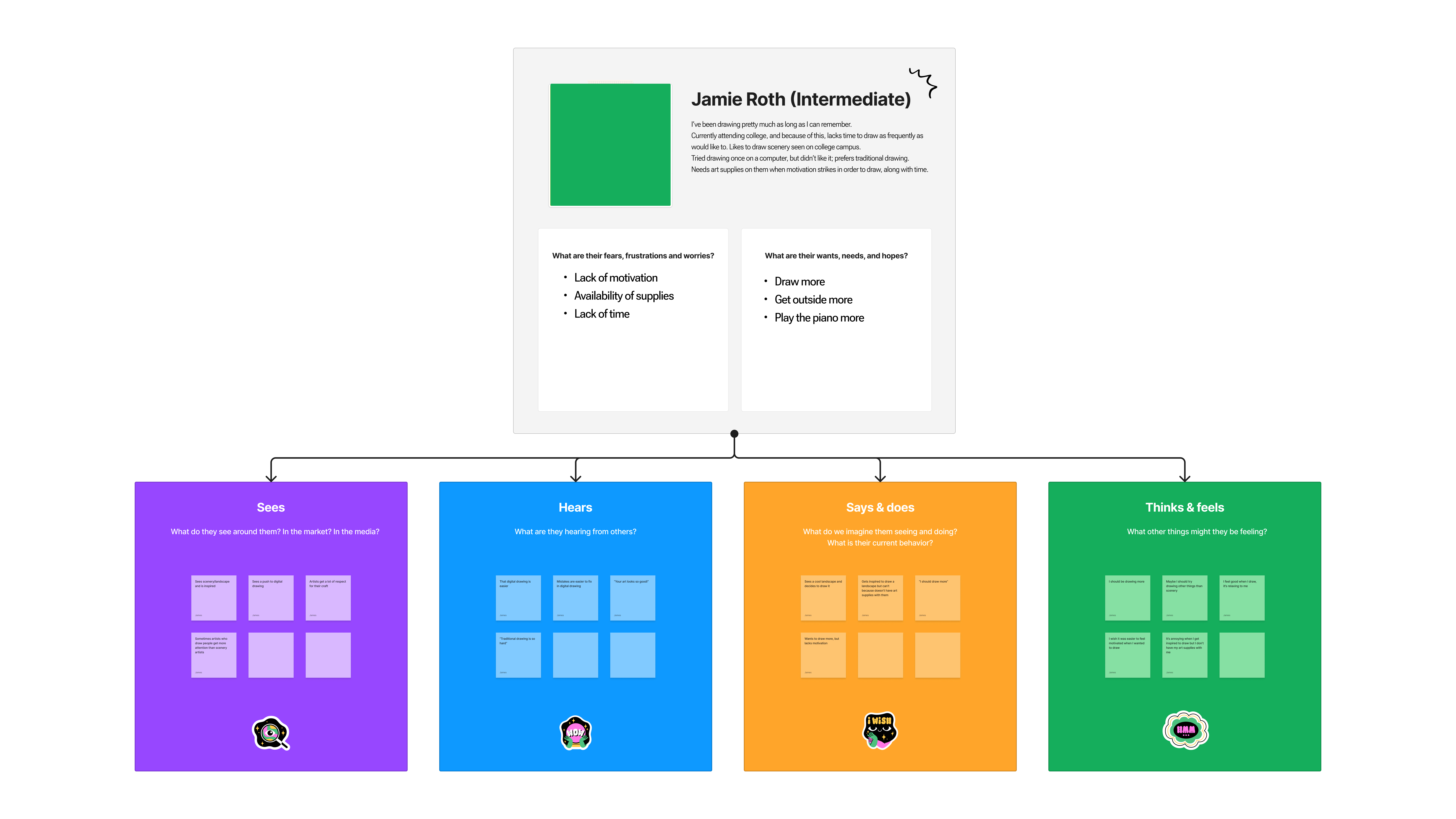
From the newly created personas, I would then move ahead to create empathy maps for each persona.
MVP
Next, I created MVP or Minimal Viable Product user stories
| MVP Features | User Stories | UI Requirements |
|---|---|---|
| View template designs | As a user, I want to view what designs I can draw | Thumbnails of drawing templates |
| As a user, I want to preview a larger image of the drawing template | Open a larger preview of the drawing template complete | |
| View by category | As a user, I want to sort templates by category | Have a sort by category option |
| As a user, I want to filter by category | Have a category filter to show only selected categories | |
| Search designs | As a user, I want to search for a drawing template by name | Have search for specific drawing templates |
| As a user, I want to search by drawing template name or category | Search results show categories or drawing template by name | |
| Selecting a template | As a user, I would like to select a template to begin drawing | Open selected template |
| Drawing aid | As a user, I want to see a step-by-step how to draw process | Show each step and animate the line connecting the dots |
| As a user, I want to follow dots to connect to form lines of my drawing | Show dots evenly spaced that form the lines of the drawing step | |
| As a user, I want the animation guide to replay if I haven't started the line yet | Loop animation of drawing step connecting the dots every few seconds until the user starts drawing | |
| As a user, I want to be able to turn off the animated guide | Ability to turn off the animated guide connecting the dots | |
| As a user, I want the ability to turn off the guiding dots connecting making the line | Turn off the guide dots | |
| As a user, I would like lines to trace | Display tracing lines | |
| As a user, I would like to turn off the tracing lines | Hide the tracing lines | |
| As a user, I want to view a grid | Display drawing grid | |
| As a user, I want to hide the grid | Hide drawing grid | |
| As a user, I would like to navigate to the next drawing step | Have a next step button | |
| As a user, I would like to navigate to the previous step | Have a previous step button | |
| As a user, I would like to see how many total steps there are for a given drawing | Show total number of steps in a drawing | |
| As a user, I would like to see the current step number I am viewing | Show current step number being viewed | |
| Drawing | As a user, I would like to draw on the screen | Ability to draw in the app on the screen |
| As a user, I would like the ability to change brush colors | Ability to change brush colors | |
| As a user, I would like to change brush size | Ability to change brush size | |
| As a user, I would like the ability to undo mistakes | Undo last drawing segment | |
| As a user, I would like to redo a drawing segment I made | Redo last undone drawing segment | |
| As a user, I would like the ability to erase mistakes | Eraser tool | |
| As a user, I would like the ability to draw straight lines | Press somewhere/button to make straight lines between points | |
| As a user, I would like the ability to make nice, curved lines | Have ability for line segments to be adjusted to curves of varying degrees | |
| As a user, I would like the ability to fill an area/drawing segment a different color | Fill area/section color tool (paint bucket) | |
| As a user, I would like to preview a straight line I am drawing before finalizing it | Drag-n-drop line drawing, from point a to b | |
| As a user, I would like to be able to select a portion of my screen/drawing | Selection tool to select an area or parts of drawings | |
| As a user, I would like to move selected area/segments to other parts on the drawing | Move tool | |
| As a user, I would like to be able to copy a portion of my selected drawing | Copy tool | |
| As a user, I would like to paste a copied portion of my drawing and move/place it into place | Paste tool, allows dragging to location before set | |
| As a user, I would like to be able to delete a selected segment/area | Delete selected tool | |
| As a user, I want to be able to zoom in and out on my drawings. | Pinch to zoom in/out with two fingers | |
| Save | As a user, I would like to save my work in progress | Save drawing so far to edit later |
| As a user, I would like to save a completed drawing to my device | Save/export drawing | |
| Open Drawings | As a user, I would like to open previously saved drawings | Saved file browser Open selected file |
| Delete Drawings | As a user, I would like to delete old drawings | Delete drawings, but not templates |
| Suggestions / Contact | As a user, I would like to submit new drawing template ideas | Drawing template idea name Submit button |
| As a user, I would like to contact support | Button to open support form (your email, description, send button) | |
| App Details | As a user, I would like to know the app version I am on | Display app version |
User Flows
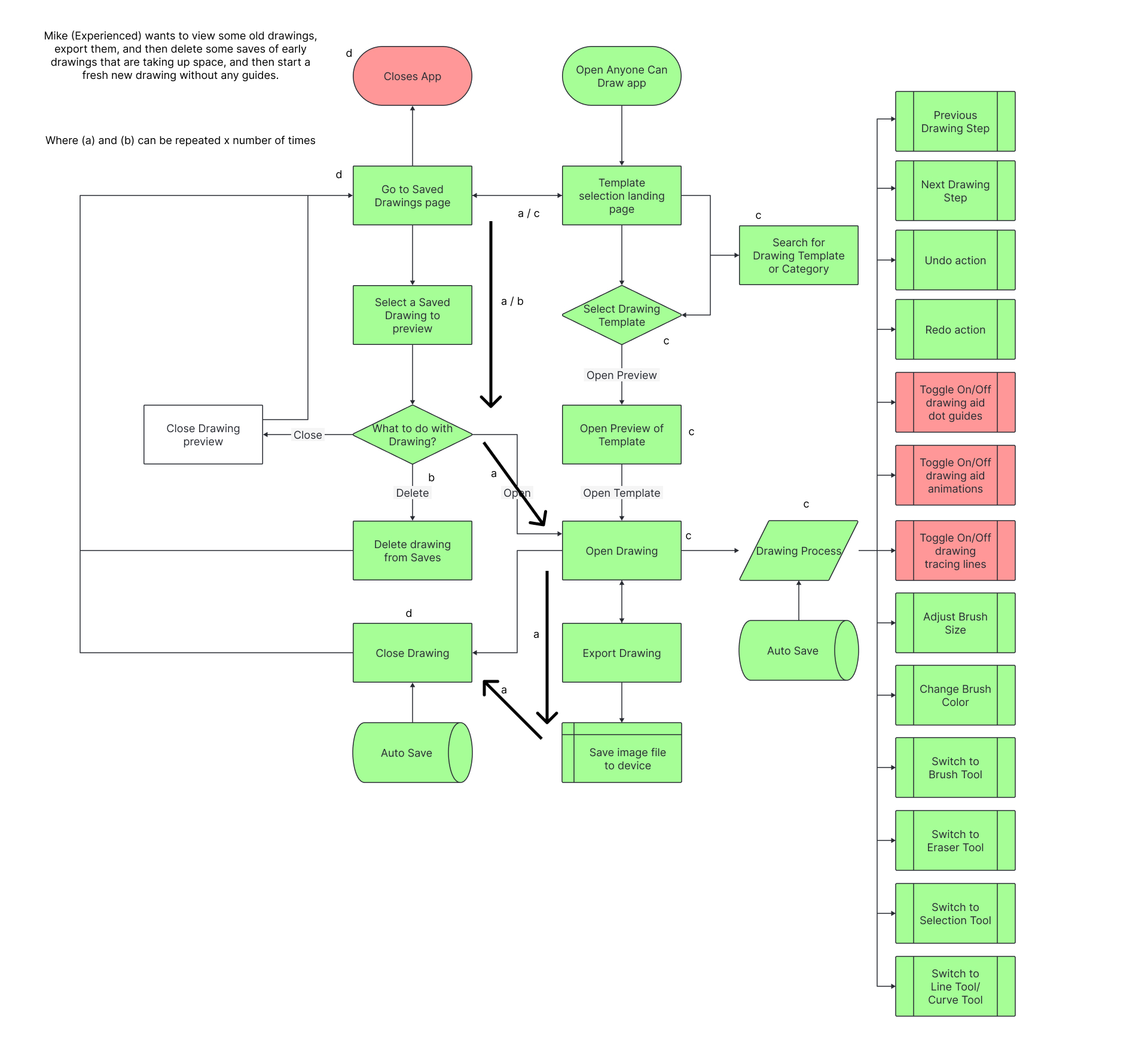
Persona 1 - Mike (Experienced) wants to view some old drawings, export them, and then delete some saves of early drawings that are taking up space, and then start a fresh new drawing without any guides.
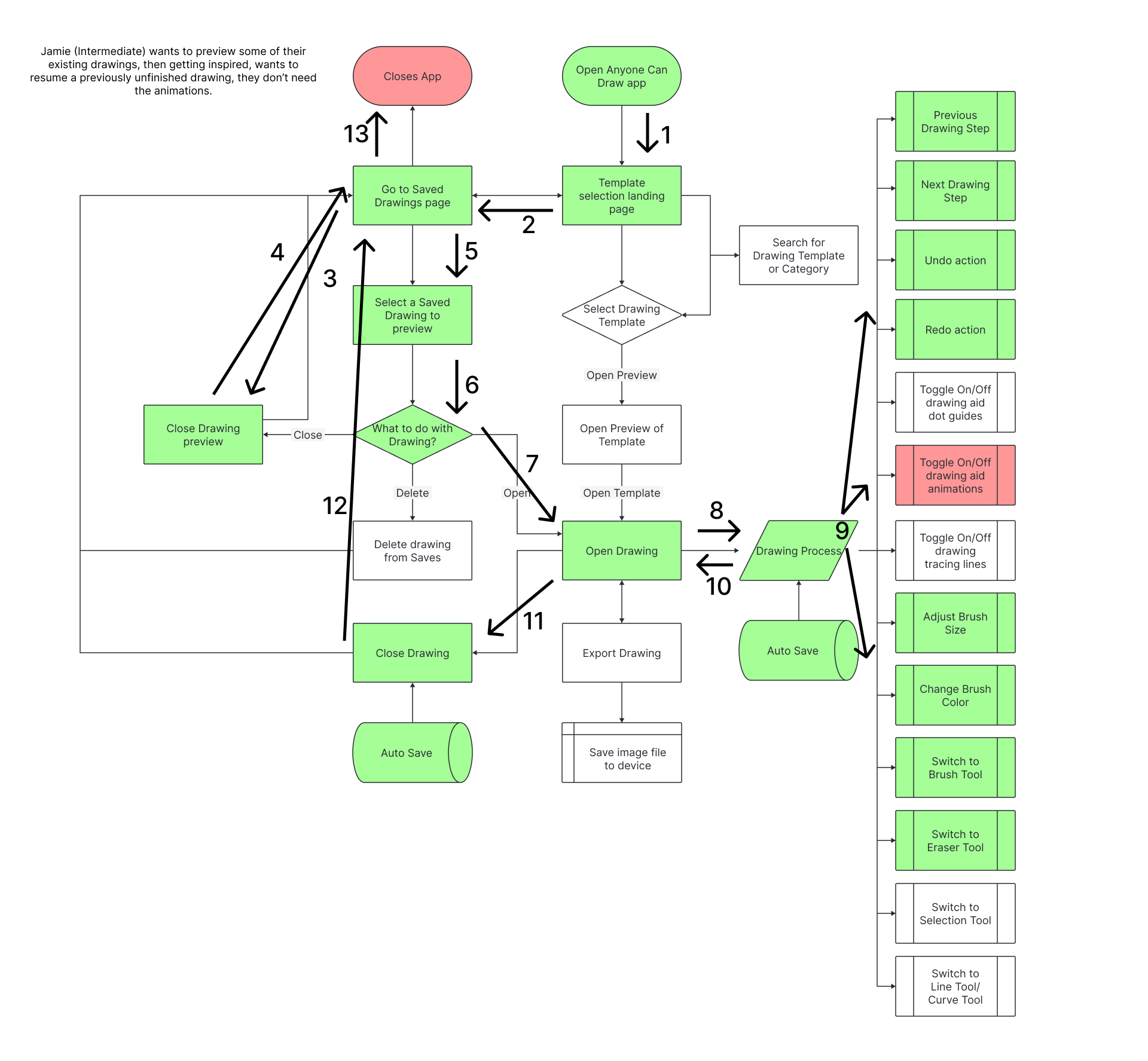
Persona 2 - Jamie (Intermediate) wants to preview some of their existing drawings, then getting inspired, wants to resume a previously unfinished drawing, they don't need the animations.
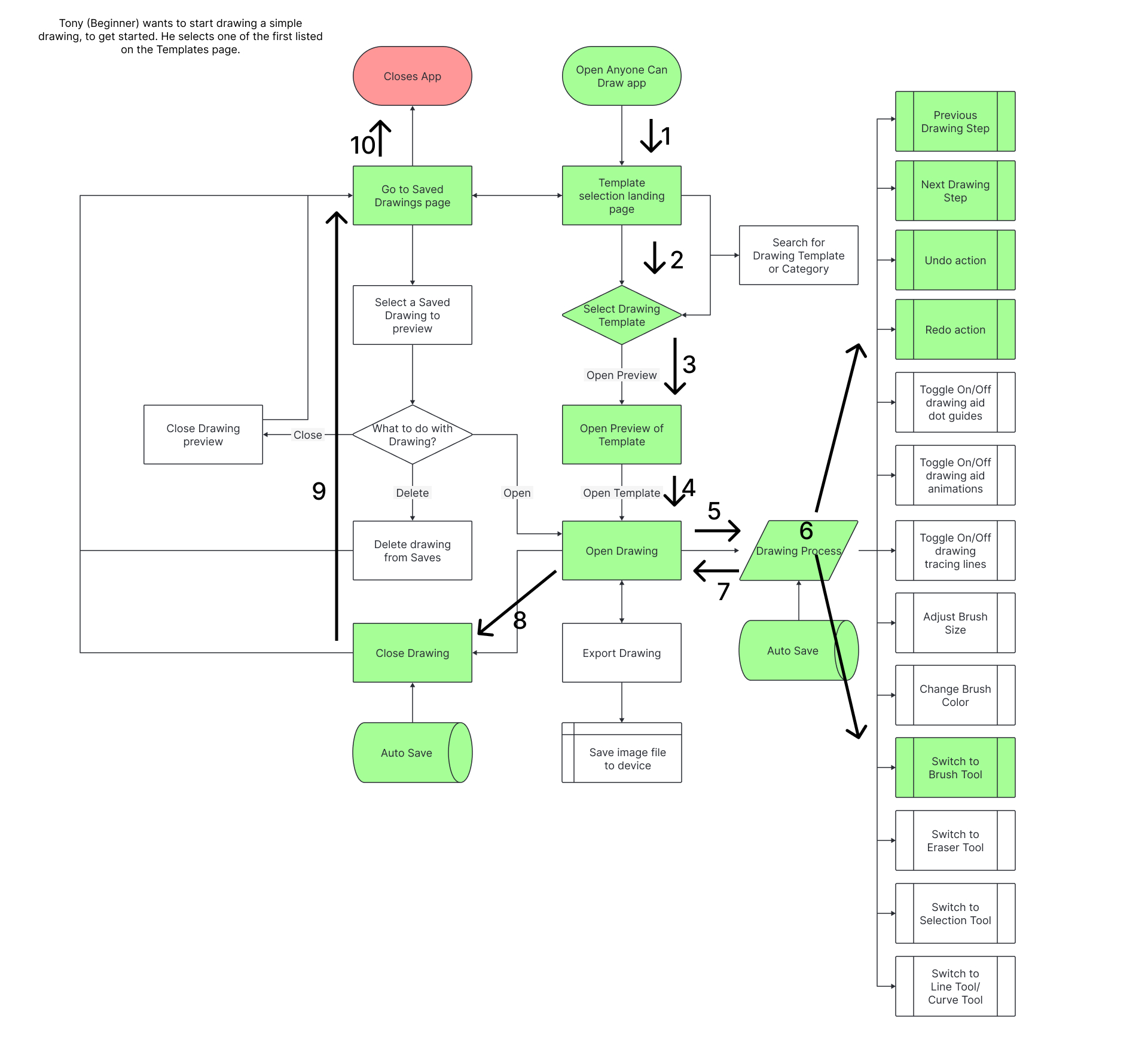
Persona 3 - Tony (Beginner) wants to start drawing a simple drawing, to get started. He selects one of the first listed on the Templates page.
Wireframe Sketches
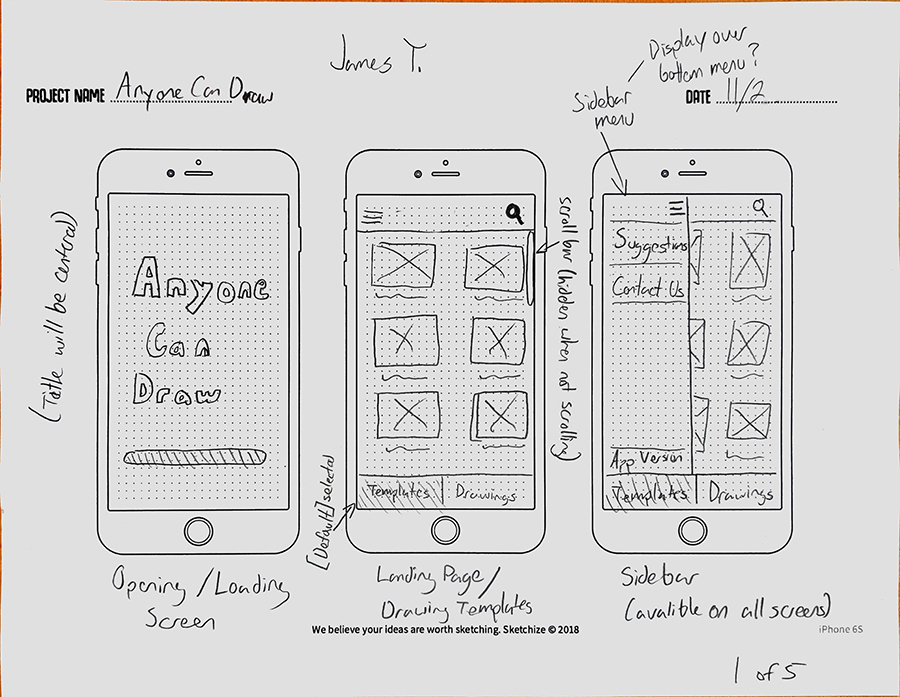
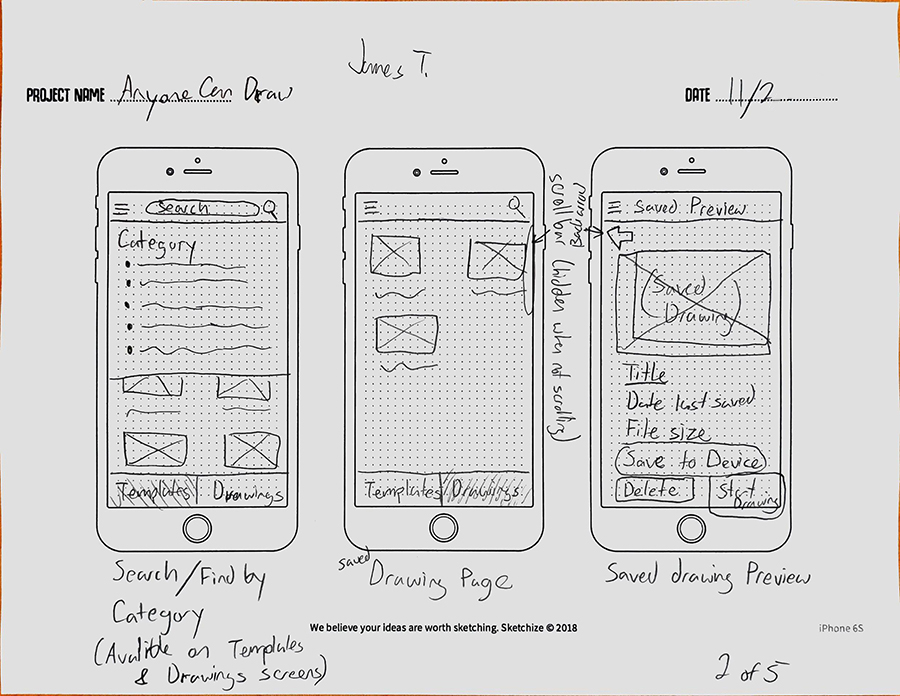
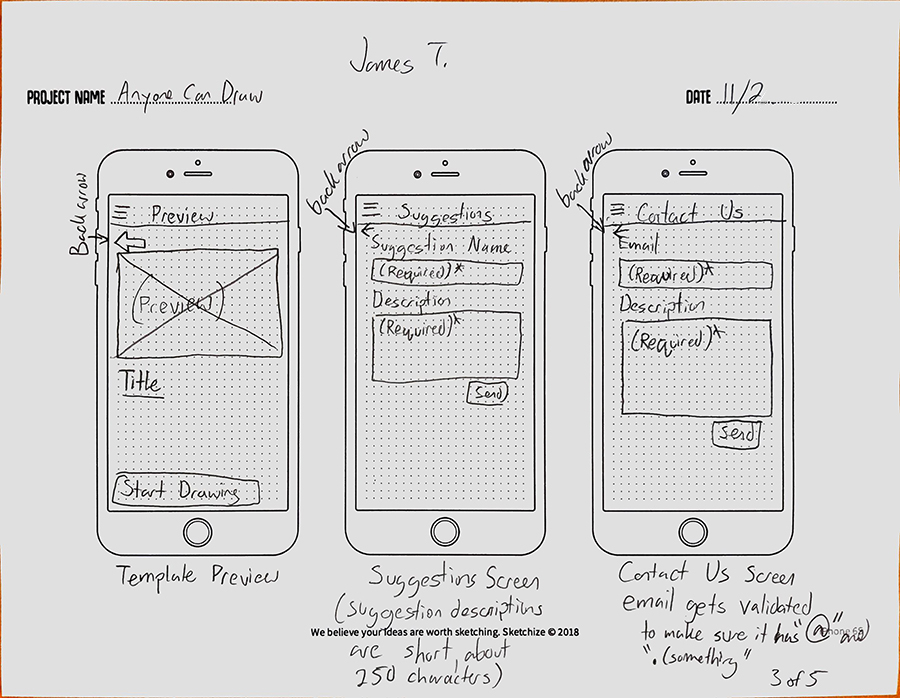
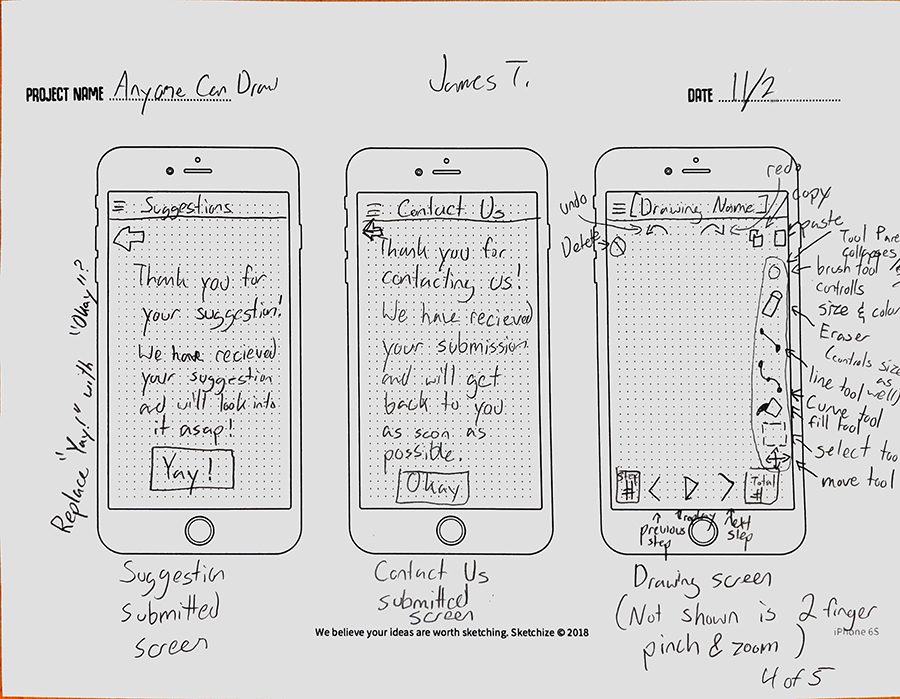
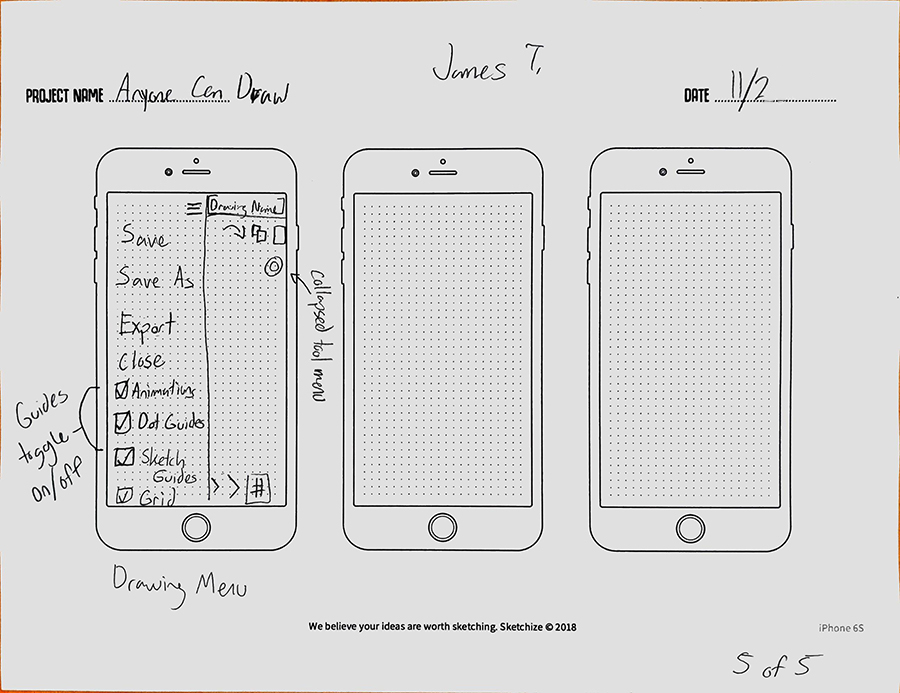
Low-Fi Wireframe
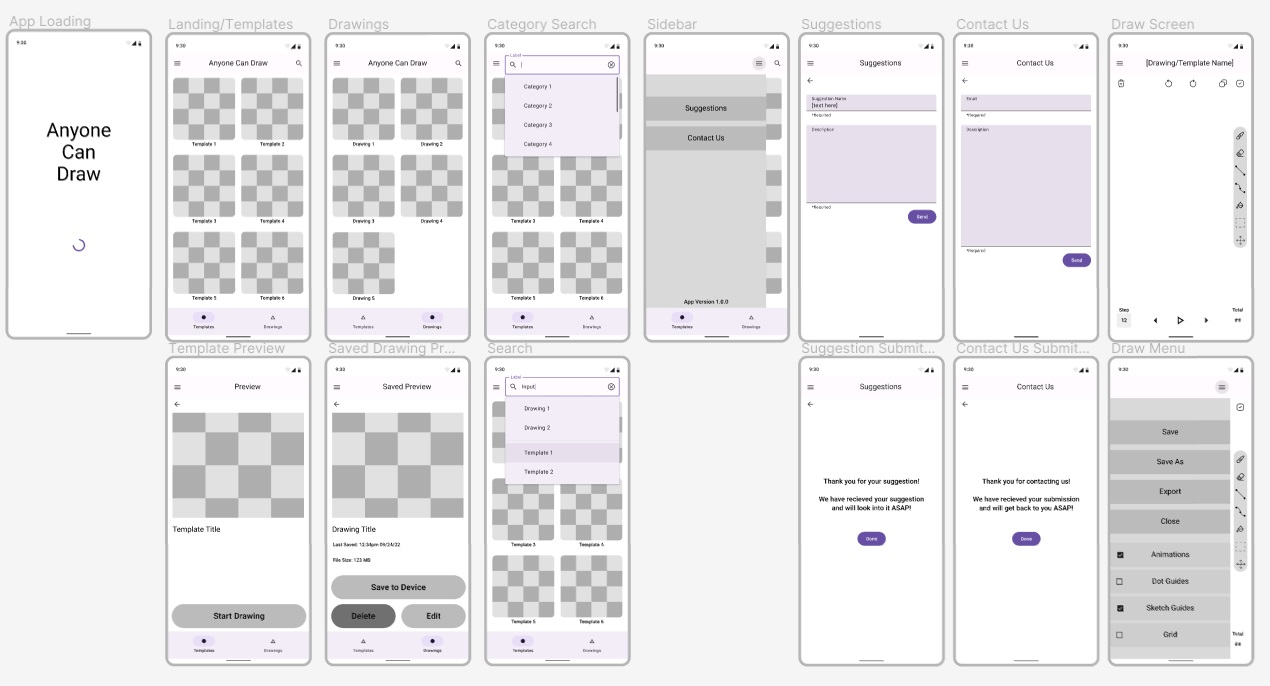
Version 1
Color Scheme
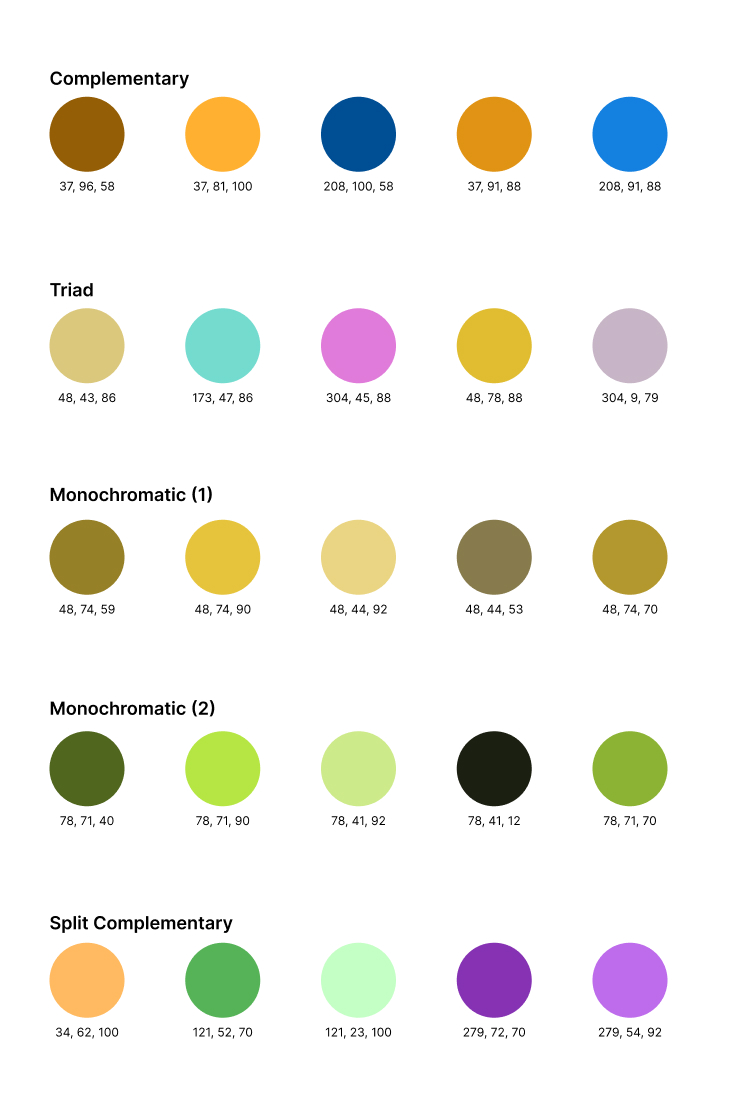
I used Adobe Color to come up with some color schemes that could work for my app. Starting with complementary colors, to triad, then I tried two monochromatic styles, and a I did one split complementary.
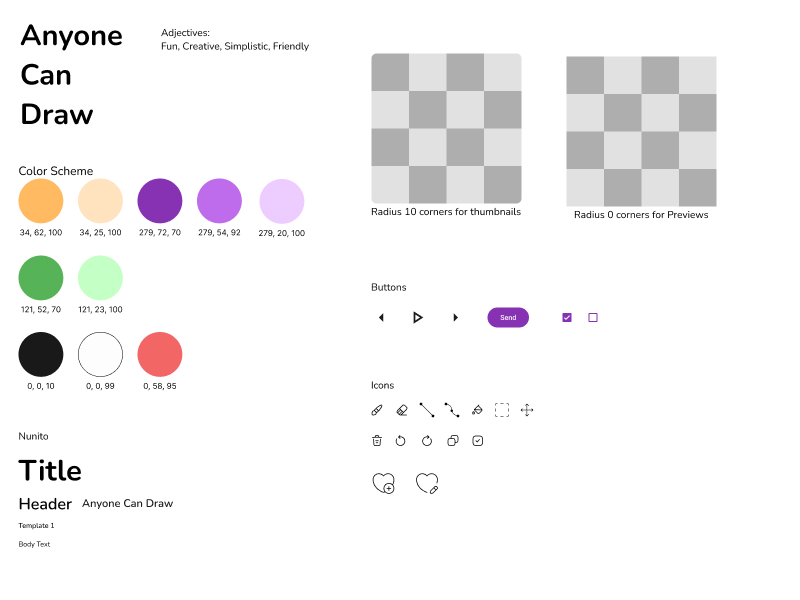
Style Tile
I liked the split complementary color scheme the most and moved forward with that one.
Completed Wireframe (Version 1)
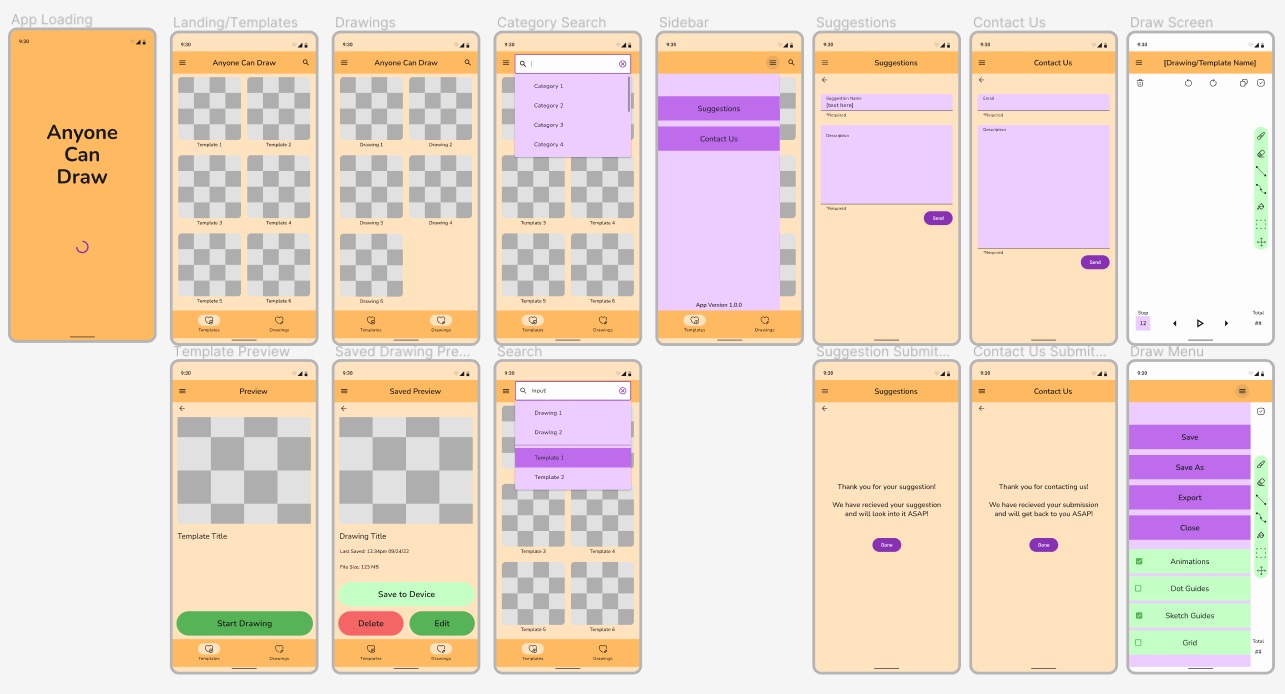
Revised Version (2)
Color Exploration
I wanted to change the color theme of my Anyone Can Draw app, so I came up with a few possible new color schemes:
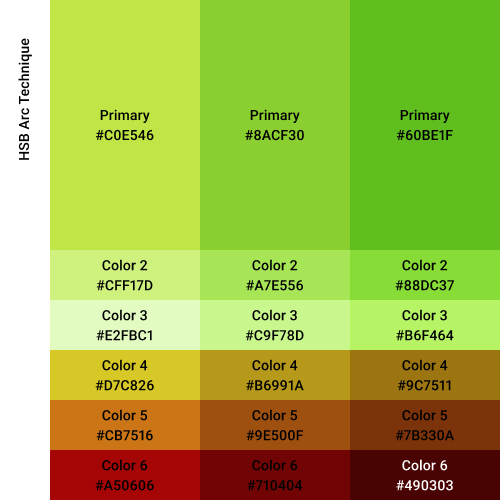
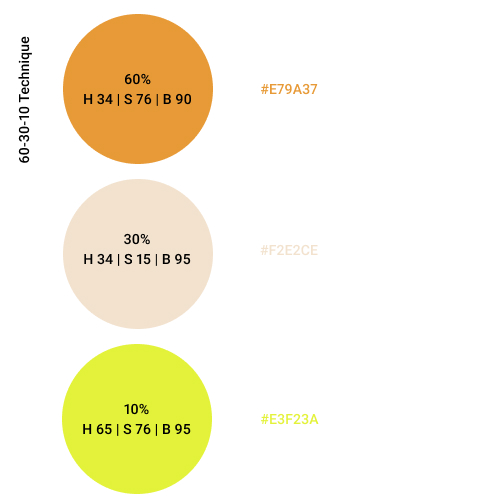
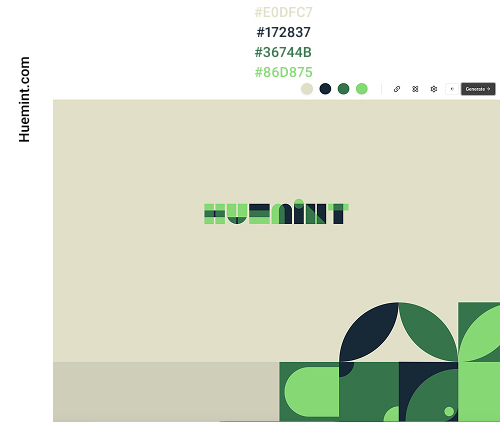
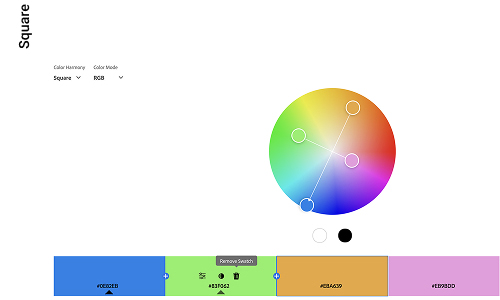
In the end, I chose the third (right-most) HSB Arc Technique.
Updated Style Tile
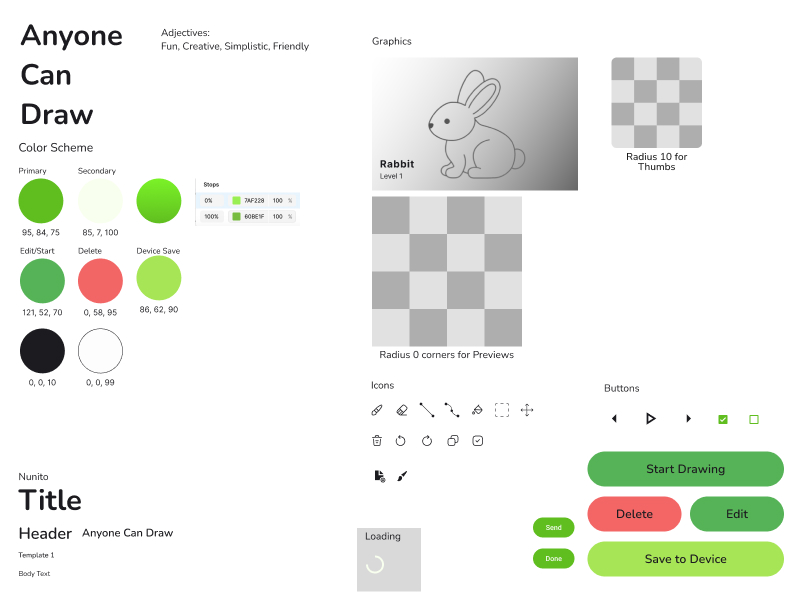
Finalized Prototype Version 2
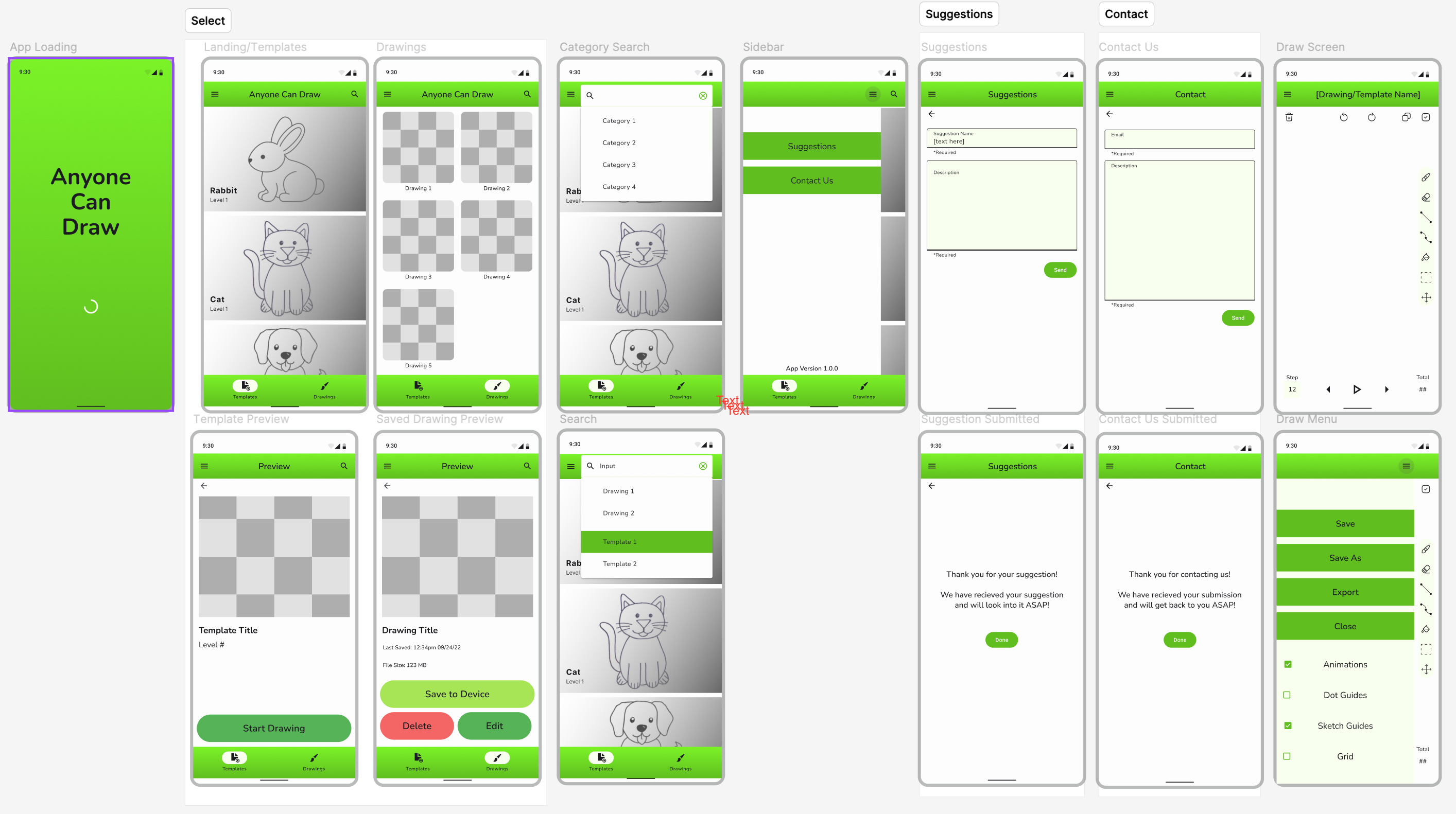
Revised Prototype & PDF Version 2
Figma Prototype Version 2Anyone Can Draw app Project Version 2 PDF